
"Click easily" profile
Tremors, keyboard only: a site that is easier to click
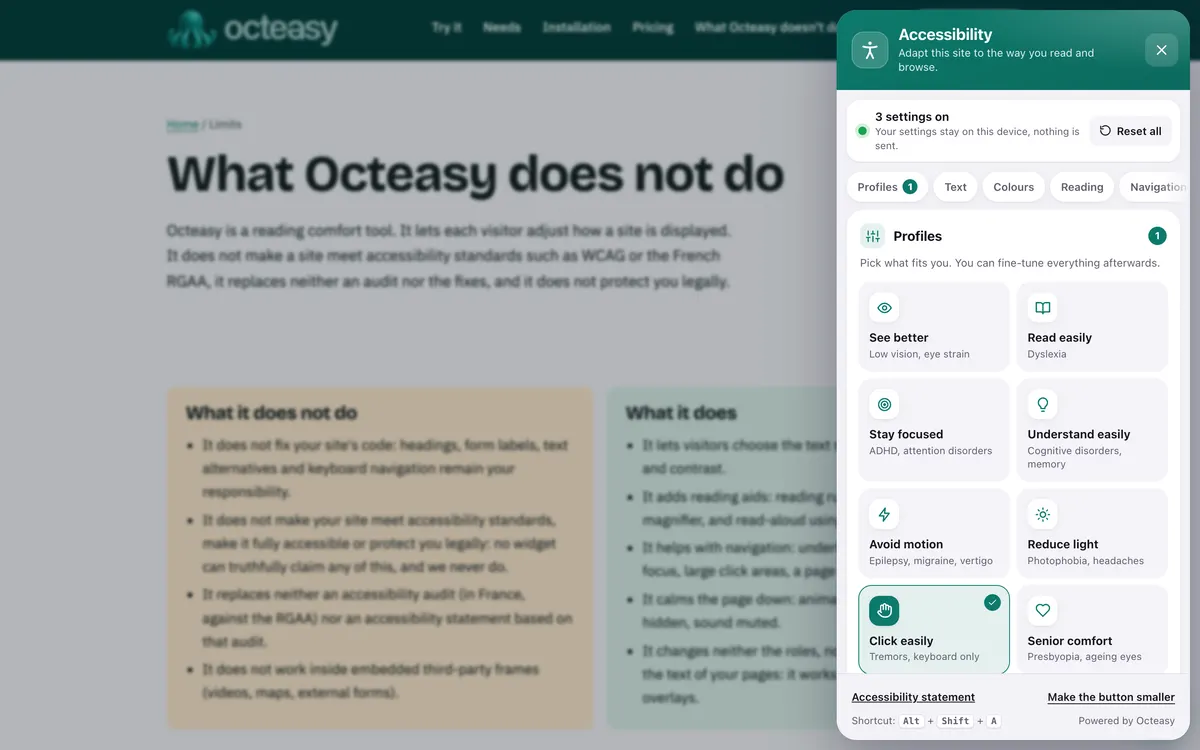
Octeasy's "Click easily" profile enlarges buttons, checkboxes and menu links in one click, frames whatever the keyboard reaches with a thick yellow outline and shows a big black cursor. The panel can be used entirely with the keyboard and opens with Alt + Shift + A.
In the panel, choose "Click easily". Shortcut: Alt + Shift + A.
- Free for visitors
- No cookies
- Settings stay on the device
- Panel in English and French

- Buttons 44 × 44 px
- Boxes 24 × 24 px
- Roomier menu links
- Yellow focus 4 px
- Black halo 8 px
- Black cursor 48 px
Who benefits from the "Click easily" profile?
The profile is designed for hands that shake, stiffen or tire, and for people who browse with the keyboard. Essential tremor alone affects an estimated 5.79% of people aged 65 and over, according to a worldwide meta-analysis; the profile also helps anyone with no condition at all who clicks on a trackpad, on the bus or one-handed.
With a condition
- Tremor, Parkinson's diseaseEssential or Parkinsonian tremor, slower fine movements: a bigger target is missed less often.
- Arthritis in the handsStiff or painful fingers aim less precisely: large targets and the keyboard spare you precise movements.
- Multiple sclerosisFatigue, clumsiness, keyboard or switch: a clearly visible focus always shows where you are.
In everyday life, no condition at all
- "I keep missing small buttons"Bigger buttons, boxes and menu links: less aiming, fewer second attempts.
- "I use a trackpad or a worn-out mouse"A pointer that sticks or slides too far: large targets forgive the slip, and the big cursor is easy to spot.
- "I hold my phone in one hand on the bus"With bumps and only a thumb, buttons of at least 44 pixels are easier to hit.
- "I prefer the keyboard"Tab to move, Enter to confirm: the yellow frame always shows where you are.
Small buttons, invisible focus: what the profile changes
Buttons that are too small, tiny checkboxes, a barely visible keyboard focus and a pointer you lose track of are among the obstacles WCAG describes. The "Click easily" profile turns on three settings that address them, across the whole page, without reloading it.
What gets in the way : Small buttons get missed
What the profile does : Large targets 44 × 44 px
At least, for buttons, fields and drop-down lists. Larger ones stay as they are.
What gets in the way : Checkboxes are tiny
What the profile does : Large targets 24 × 24 px
For checkboxes and radio buttons.
What gets in the way : Menu links are crammed together
What the profile does : Large targets +0.35 em
Of padding above and below, for links in menus, lists and footers.
What gets in the way : You can't see where you are with the keyboard
What the profile does : Strong focus 4 px yellow frame
With an 8 px black halo, visible on light and dark backgrounds alike.
What gets in the way : The pointer gets lost on screen
What the profile does : Big cursor black, 48 px
Outlined in white. A big white cursor is also available.
Also in the panel
- Page outline It lists the headings: a click or Enter takes you straight to a section, without tabbing through everything.
- Highlight links Links stand out on a yellow background, easy to spot before you aim.
- Text size From 100% to 200%: links inside the text grow with it.
- Stop animations A moving button is hard to hit: CSS animations stop.
See the exact values: Octeasy's values compared with the WCAG benchmarks
| Element | With the profile | Minimum benchmark (AA) | Enhanced benchmark (AAA) |
|---|---|---|---|
| Buttons, fields, drop-down lists | at least 44 × 44 px | 24 × 24 px (criterion 2.5.8) | 44 × 44 px (criterion 2.5.5) |
| Checkboxes, radio buttons | 24 × 24 px | 24 × 24 px (criterion 2.5.8) | 44 × 44 px (criterion 2.5.5) |
| Menu and list links | +0.35 em above and below | 24 × 24 px, or enough space around (criterion 2.5.8) | 44 × 44 px (criterion 2.5.5) |
| Links within a sentence | unchanged | exempt (criterion 2.5.8) | exempt (criterion 2.5.5) |
| Keyboard focus | 4 px yellow frame, 8 px black halo | visible (criterion 2.4.7) | at least the area of a 2 px outline, 3:1 contrast (criterion 2.4.13) |
WCAG applies to the site: it describes what the page itself must provide, in CSS pixels. The profile enlarges what is already there; it does not replace targets that are properly sized from the start.
Before and after: the same buttons
First a form as you often see it, then the same one with the exact settings of the profile. Try the Tab key on the link and the button, or open the widget.
Appointment booking
Choose a time slot from the list, tick the box to accept the terms, then confirm. A confirmation email will be sent to you straight away.
See time slotsBook
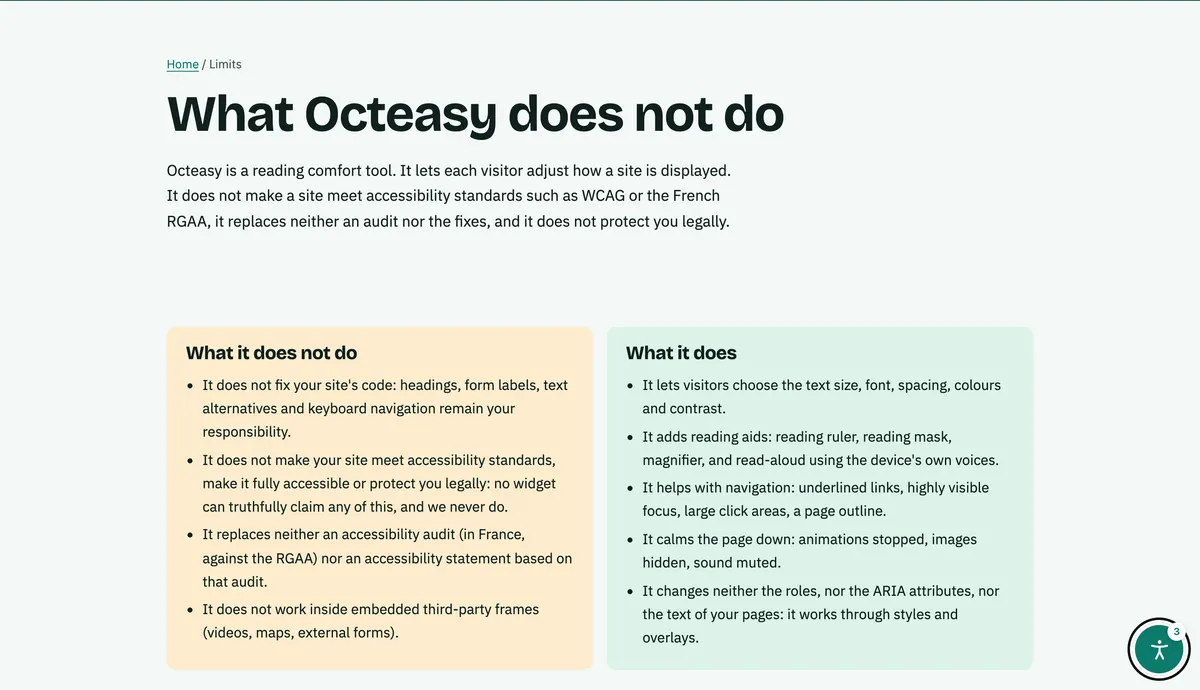
Turn on "Click easily" in three steps
With a mouse, a finger or the keyboard: Tab to move, Enter or Space to activate, Esc to close. The settings are then saved in the browser, for that site.
Open the panel
The Octeasy button on the page, or Alt + Shift + A, with no aiming needed.
Choose "Click easily"
Click targets, focus and cursor change straight away across the page.
Fine-tune
White cursor on a dark site, highlighted links, page outline: keep what helps.
Click target size and tremor: what the research says
The smaller a target, the longer and harder it is to reach: one of the most robust findings in ergonomics. Studies of people with Parkinson's disease confirm it on touchscreens. The big cursor, however, has no measured effect on accuracy.
Smaller target, longer movement
The time needed to reach a target rises as it gets smaller or further away: this is Fitts's law, described in 1954 and confirmed many times since.
Fitts, 1954Parkinson's: 14 mm targets
Among 39 people with Parkinson's disease, touch targets of 14 mm per side or more were hit with 97% accuracy or more, against 94% at 10.5 mm.
Nunes et al., 2016One thumb, one hand
On a phone held in one hand, 9.2 mm targets were enough to tap a single button with the thumb without degrading performance.
Parhi et al., 2006The standards: 24 px at least, 44 px at best
WCAG requires targets of at least 24 × 24 CSS pixels (AA) and 44 × 44 at the enhanced level (AAA), citing hand tremor and one-handed use.
W3C, WCAG 2.2, criteria 2.5.8 and 2.5.5
The takeaway: enlarging targets and showing the focus rest on solid ground. The big cursor mainly helps you find the pointer. And nothing replaces a site that works with the keyboard.
Keyboard navigation on your website: what is left to do
A widget enlarges and highlights what is already there; it does not make a button work with the keyboard if it does not already. These points, from WCAG, are handled in your code and design.
Keyboard
- The whole site usable with the keyboard, with no traps (WCAG 2.1.1 and 2.1.2).
- A logical tab order and a skip link to the main content.
- A focus that is always visible, never removed with "outline: none" (WCAG 2.4.7).
Click targets
- Targets of at least 24 × 24 pixels (WCAG 2.5.8), 44 where possible.
- Space between neighbouring buttons.
- Menu links clickable across their full width.
Gestures and time
- An alternative to every drag and drop (WCAG 2.5.7).
- No multi-finger or path-based gesture without a simple alternative (WCAG 2.5.1).
- Enough time to fill in a form, or a way to extend it (WCAG 2.2.1).
Your questions about motor difficulties and keyboard navigation
How do you navigate a website with the keyboard?
Tab moves to the next element, Shift + Tab goes back, Enter follows a link, Space ticks a box or presses a button, and the arrow keys move through lists. The hardest part is often seeing where you are: Octeasy's strong focus puts a thick yellow frame around the element you have reached.
What is the minimum size for a button or click target?
WCAG 2.2 requires at least 24 × 24 CSS pixels, or enough space around the target (criterion 2.5.8, level AA), and 44 × 44 pixels at the enhanced level (criterion 2.5.5, AAA). With the "Click easily" profile, buttons, fields and drop-down lists become at least 44 × 44 pixels.
I have a tremor: how can I click more easily with a mouse?
On a site with Octeasy, choose "Click easily": larger targets, a visible focus and a big cursor. The keyboard also saves you from aiming. Elsewhere, your computer's or phone's accessibility settings help: a larger pointer, slower pointer speed, Filter Keys or Touch Accommodations.
Does the widget make a site keyboard accessible?
No. If a button, menu or form does not respond to the keyboard, Octeasy does not fix it: it shows more clearly where the focus is and enlarges what already exists. Making every element work with the keyboard has to be done in the site's code.
Can the Octeasy panel be used without a mouse?
Yes. Alt + Shift + A opens it from anywhere on the page. Tab and Shift + Tab move through the settings without leaving the panel, Enter or Space turn them on, and Esc closes it and returns the focus to where it was. Every setting is a real button.
Does Octeasy work with a switch or voice control?
The panel is made of standard buttons that work with the keyboard, so tools that rely on the keyboard or activate page elements can use it. Results depend on each tool and its settings; the simplest way to find out is to try it on our site.
Does Octeasy make my site meet WCAG or the RGAA?
No. The widget improves comfort for the visitor who opens it, but it does not fix a site: a menu that cannot be reached with the keyboard or buttons that are too small still need work in the code. Octeasy does not make a site meet these standards and does not replace an audit.
Is the widget free for visitors?
Yes. Visitors pay nothing and install nothing: every comfort feature is included in every plan, even the free one. No account to create and no cookies: settings stay in their browser, for that site.
Sources (9)
- W3C, WCAG 2.2, Understanding 2.5.8 Target Size (Minimum)
- W3C, WCAG 2.2, Understanding 2.5.5 Target Size (Enhanced)
- W3C, WCAG 2.2, Understanding 2.4.7 Focus Visible
- W3C, WCAG 2.2, Understanding 2.4.13 Focus Appearance
- W3C, WCAG 2.2, Understanding 2.1.1 Keyboard
- Louis and McCreary, "How Common is Essential Tremor? Update on the Worldwide Prevalence of Essential Tremor", Tremor and Other Hyperkinetic Movements, 2021
- Fitts, "The information capacity of the human motor system in controlling the amplitude of movement", Journal of Experimental Psychology, 1954
- Nunes et al., "User interface design guidelines for smartphone applications for people with Parkinson's disease", Universal Access in the Information Society, 2016
- Parhi, Karlson and Bederson, "Target size study for one-handed thumb use on small touchscreen devices", MobileHCI 2006
Content reviewed on .
Try "Click easily" here, then add it to your site
Visitors get every comfort feature, even on the free plan. A single line of script is all it takes.