
"Stay focused" profile
An ADHD friendly website, in one click
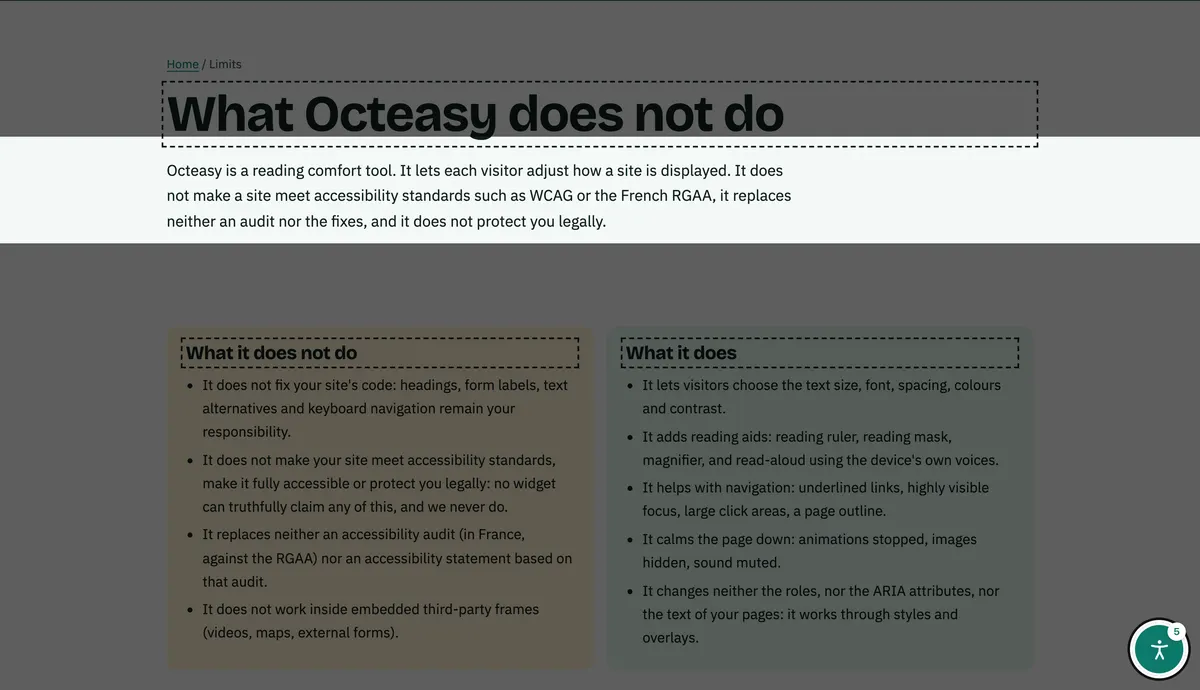
Octeasy's "Stay focused" profile removes distractions in one click: it stops animations, mutes sound, shortens lines, outlines headings and adds a reading mask. Visitors stay in control of every setting.
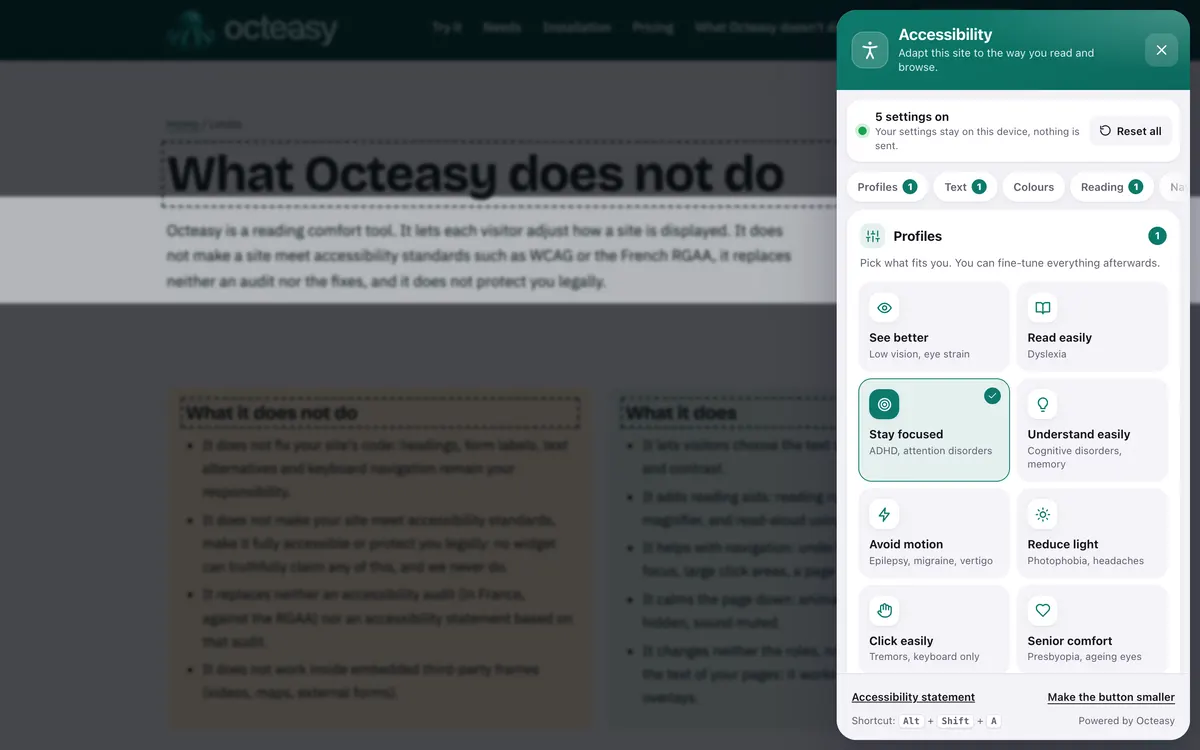
In the panel, choose "Stay focused". Shortcut: Alt + Shift + A.
- Free for visitors
- No cookies
- Settings stay on the device
- Panel in English and French


- Reading mask 128 px
- Animations stopped
- Outlined headings
- Lines of 68 characters
- Sound muted
Who benefits from the "Stay focused" profile?
The profile is designed for ADHD, which the French National Authority for Health (HAS) says may affect 5% of children and adolescents worldwide, and which persists in 2.58% of adults according to a global meta-analysis. It also helps anyone, with no condition at all, who reads amid noise, tiredness or content that keeps moving.
With a condition
- ADHD, in children and adultsThe eye is drawn to anything that moves or blinks: a still page and a mask help you stay on the text.
- Related learning difficultiesOften found alongside ADHD: short lines and clear headings make reading lighter work.
- Anxiety, fatigue, after a concussionAttention scatters more quickly: less going on on screen makes reading more comfortable.
In everyday life, no condition at all
- "I get lost in long texts"The mask only shows a few lines, and short lines mean you don't hunt for the start of the next one.
- "Animations distract me"Carousels, scrolling banners and blinking stop in one click.
- "I read on noisy trains and buses"On the Tube, the mask isolates the lines you are reading, and no video starts with sound.
- "I just want the key points"Outlined headings and the page outline take you straight to the part you need.
What distracts readers with ADHD, and what the profile changes
Anything that moves, blinks or makes a noise pulls attention away, and WCAG names attention deficit disorders among the people affected. The "Stay focused" profile deals with five sources of distraction at once, across the whole page, without reloading it.
What gets in the way : The eye drifts to the rest of the page
What the profile does : Reading mask 128 px clear band
Everything else is dimmed. The band follows the mouse, a finger or the keyboard.
What gets in the way : Moving content draws the eye
What the profile does : Animations stopped CSS animations
Scrolling, blinking and transitions stop; videos that start on their own are paused. A JavaScript animation may keep running.
What gets in the way : A sudden sound breaks your focus
What the profile does : Sound muted video and audio
The page's videos and audio files stay silent. A player embedded from another platform keeps its own settings.
What gets in the way : Long lines make you lose your place
What the profile does : Short lines 68 characters
Paragraphs and headings are limited in width.
What gets in the way : You lose track of where you are
What the profile does : Outlined headings dashed outline
The page structure stands out, so you can find the part you need.
Also in the panel
- Reading ruler A 44 px band follows the mouse, a finger or the keyboard and highlights the current line.
- Page outline The list of headings, to jump straight to a section.
- Hide images Keeps only the text, for a calmer page.
- Read aloud A paragraph on click, or the whole page, using the device's own voices: nothing is sent.
Before and after: the same text
First a paragraph as you often see it, then the same one with the exact settings of the profile. To try it on a real page, open the widget.
Bin collections
From 1 April, recycling bins will be collected on Tuesday mornings instead of Thursdays. Please put your bin out the night before and bring it back in by 7 pm. The full calendar for the year is available at the council offices and online.
See the calendarGet a reminder
Turn on "Stay focused" in three steps
On any site with Octeasy, with a mouse, a finger or the keyboard. The settings are then saved in the browser, for that site.
Open the panel
The round button at the bottom of the screen, or Alt + Shift + A.
Choose "Stay focused"
Animations, sound, lines and headings change straight away, and the mask appears.
Fine-tune
Keep what helps, remove the rest: mask or ruler, images, voice.
Do reading masks work? What the research says
That moving content disrupts reading is well established, and WCAG turns it into a rule. The reading mask, on the other hand, has no solid evidence for people with ADHD. Octeasy offers it as a comfort, to keep or remove.
Moving content catches the eye
In three eye-tracking experiments on real web pages, animated ads or ads appearing suddenly drew the eyes and disrupted reading.
Simola et al., 2011The standards require a way to stop it
Anything that moves, blinks or scrolls on its own for more than five seconds must be stoppable. The W3C names attention deficit disorders.
W3C, WCAG 2.2, criterion 2.2.2Reading rulers: gains, but not studied for ADHD
Tested with 91 readers with dyslexia and 86 without, digital reading rulers helped many of them, with the largest gains among readers with dyslexia.
Niklaus et al., 2023Reading masks: no solid evidence
We found no solid study measuring the effect of an on-screen reading mask for readers with ADHD.
No study found in PubMed as of 1 November 2026
The takeaway: removing what moves and what makes a noise rests on solid findings; the mask is a comfort without proven benefit. Everyone keeps what helps them.
Making your website ADHD friendly: what is left to do
A widget helps the visitor who opens it; a calm page by default helps everyone. These points, from WCAG and the W3C guidance on cognitive disabilities, are handled in your content and code.
Writing
- Key points first, details after.
- Short paragraphs and lists.
- Headings that say what the section contains.
Layout
- No pop-ups or interruptions while people read.
- Lines of 80 characters at most (WCAG 1.4.8).
- Real headings, in order, for each section (WCAG 2.4.10).
Code
- Nothing moving for more than five seconds without a pause button (WCAG 2.2.2).
- No video that starts with sound.
- Respect the device's "reduce motion" setting.
Your questions about ADHD and focus
How do you make a website ADHD friendly?
On the site: nothing that moves or scrolls on its own without a pause button (WCAG 2.2.2), no video playing with sound on load, no pop-ups, key points first and real headings. Then a tool such as Octeasy, so each visitor can remove whatever distracts them.
What is a reading mask?
It is an aid that dims the page except for a clear band around the area you are reading. In Octeasy, the band is 128 pixels high and follows the mouse, a finger or the keyboard: you only see a few lines at a time, and the rest fades into the background.
Do reading masks help with ADHD?
We have not found a solid study showing that they do. A 2023 study measured gains with digital reading rulers, mainly for readers with dyslexia, but ADHD was not studied. Some people find the mask comfortable: it remains an option, never imposed.
How can I focus when reading online?
On a site with Octeasy, choose "Stay focused": animations stopped, sound muted, short lines and a reading mask. Elsewhere, the browser's reader mode, turning off notifications and the device's "reduce motion" setting can also help.
Does the widget stop every animation and video?
Not all of them. It stops CSS animations and transitions, and pauses once any video that starts on its own or loops. An animation driven by JavaScript may keep running, and a video embedded from another platform keeps its own settings.
Does the profile work on a phone?
Yes. The panel opens with the round button, and the reading mask follows your finger as you scroll. Animations stop and sound is muted just as they are on a computer, and the settings are saved in the browser for your next visit.
Does Octeasy make a site meet WCAG or RGAA?
No. Octeasy is a reading comfort tool: it does not make a site meet WCAG or the French standard (RGAA) and does not replace an audit. Criterion 2.2.2, for example, is handled in the site's code, not with a widget.
Is the widget free for visitors?
Yes. Visitors pay nothing and install nothing: every comfort feature is included in every plan, even the free one. No cookies and no account to create: settings stay in their browser, for that site. The site owner chooses the plan; the visitor simply uses the panel.
Sources (9)
- HAS (French National Authority for Health), "TDAH de l'enfant et adolescent : former plus de professionnels pour réduire les délais de prise en charge", 23 September 2024
- Song et al., "The prevalence of adult attention-deficit hyperactivity disorder: a global systematic review and meta-analysis", Journal of Global Health, 2021
- NHS, "Symptoms: Attention deficit hyperactivity disorder (ADHD)"
- CDC, HEADS UP, "Signs and symptoms of concussion"
- Simola et al., "The impact of salient advertisements on reading and attention on web pages", Journal of Experimental Psychology: Applied, 2011
- W3C, WCAG 2.2, Understanding 2.2.2 Pause, Stop, Hide
- Niklaus et al., "Digital Reading Rulers: Evaluating Inclusively Designed Rulers for Readers With Dyslexia and Without", CHI 2023
- W3C, "Making Content Usable for People with Cognitive and Learning Disabilities", 2021 (objective 5: help users focus)
- W3C, WCAG 2.2, Understanding 1.4.8 Visual Presentation and 2.4.10 Section Headings
Content reviewed on .
Try "Stay focused" here, then add it to your site
Visitors get every comfort feature, even on the free plan. A single line of script is all it takes.