

"Understand easily" profile
A website that is easier to read and listen to, in one click
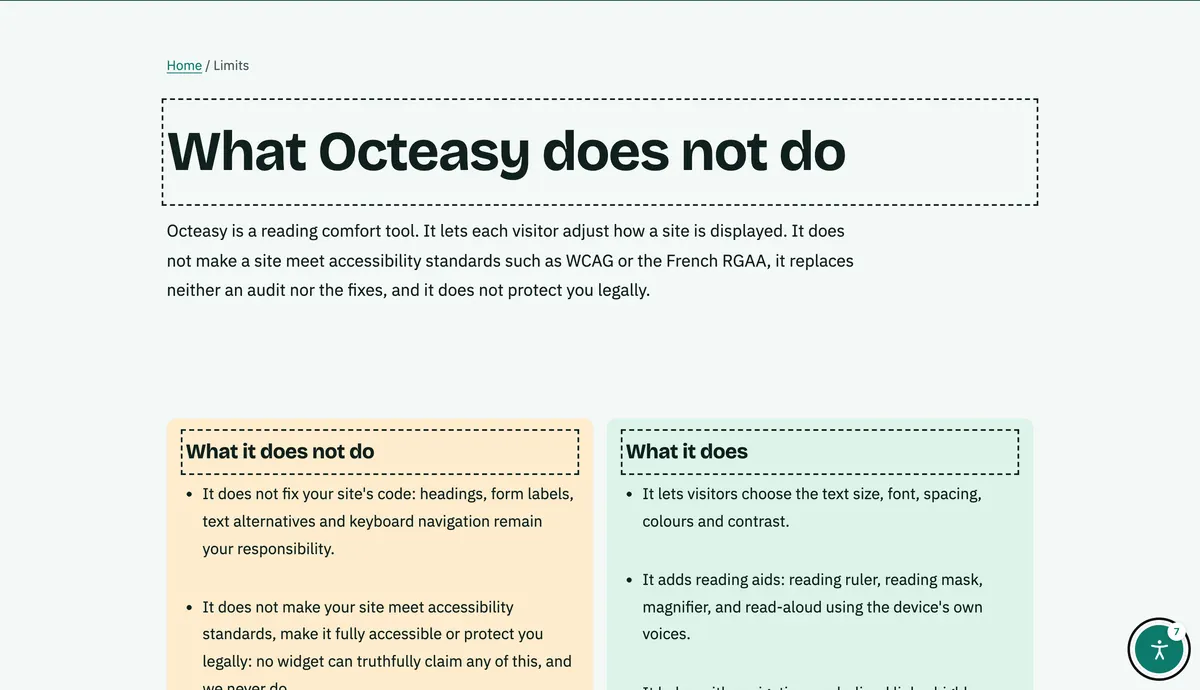
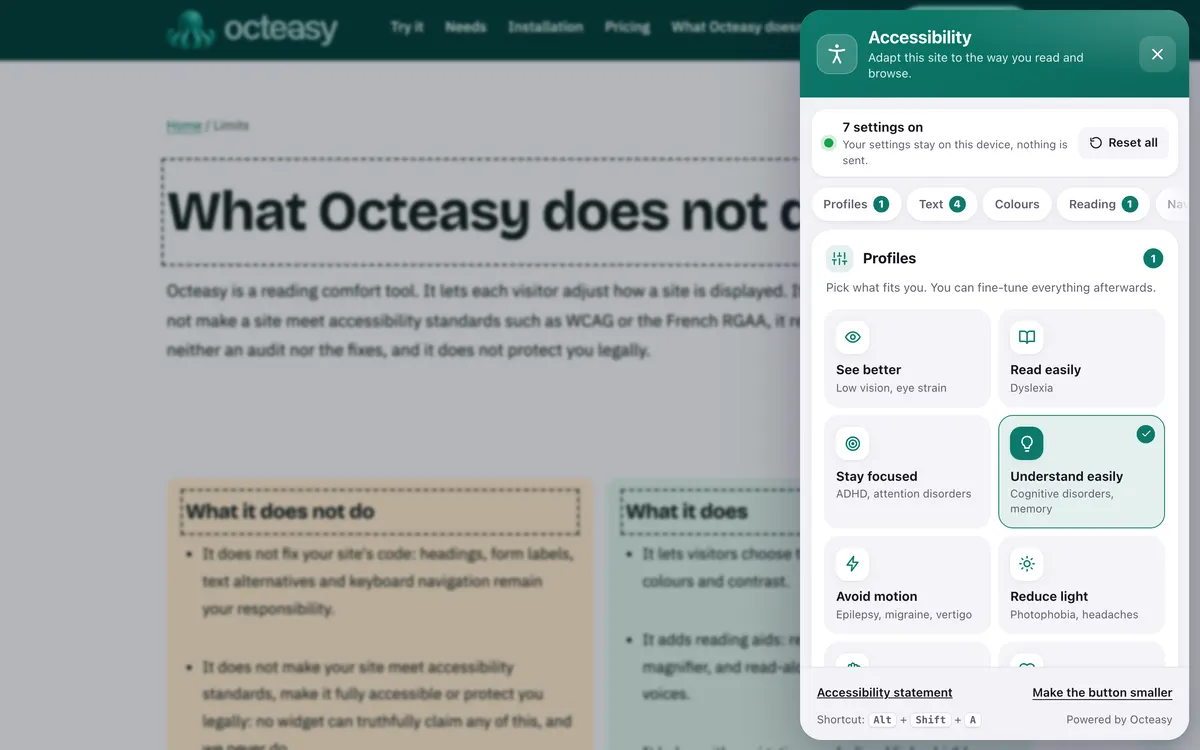
Octeasy's "Understand easily" profile slightly enlarges the text, adds space between lines and paragraphs, shortens lines, outlines headings, stops animations and turns on read aloud. The widget does not rewrite the text: it helps people read it.
In the panel, choose "Understand easily". Shortcut: Alt + Shift + A.
- Free for visitors
- No cookies
- Device voices, nothing is sent
- Panel in English and French


- Text 110%
- Line height 1.75
- Spaced paragraphs
- Lines of 68 characters
- Outlined headings
- Animations stopped
- Read aloud
Who benefits from the "Understand easily" profile?
The profile is designed for cognitive and memory difficulties: according to the WHO, 57 million people were living with dementia worldwide in 2021. It also helps anyone, with no condition at all, who reads when tired, in a hurry or in a language they don't know well.
With a condition
- Memory problems, early Alzheimer's diseaseA spacious page, clear headings and a voice help you keep track of a text.
- After a stroke, aphasiaReading can become hard: hearing the text while following it with your eyes often helps.
- Learning disabilityThe profile helps people read a text; an Easy Read version, written by the site, helps them understand it.
In everyday life, no condition at all
- "I'm reading in a language I don't know well"On a site in English or French, the voice reads the text while you follow it, more slowly if needed.
- "I'd rather listen than read"One click on a paragraph, or "Read the whole page", and the text is read aloud.
- "I'm tired and keep rereading"Slightly larger text and spaced paragraphs take less effort.
- "I need to understand an official letter quickly"Outlined headings and the page outline help you find the part that concerns you.
Cognitive accessibility: what gets in the way, and what the profile changes
Cramped text with no landmarks and content that moves demand more attention and memory, as the W3C guidance on cognitive disabilities points out. The "Understand easily" profile changes six things at once, across the whole page, without reloading it.
What gets in the way : Reading takes too much effort
What the profile does : Read aloud device voices
A paragraph on click, a selection or the whole page. Speed from 0.6 to 1.6, with the current block highlighted.
What gets in the way : The text is a little small
What the profile does : Larger text 110%
Up to 200% if you wish.
What gets in the way : Lines and paragraphs run together
What the profile does : Line and paragraph spacing 1.75 and +2 em
Line height 1.75 (or 2, or 2.4) and twice the text size after each paragraph.
What gets in the way : You lose your place between lines
What the profile does : Short lines 68 characters
Paragraphs and headings are limited in width.
What gets in the way : You lose track of where you are
What the profile does : Outlined headings dashed outline
The page structure stands out.
What gets in the way : Moving content pulls attention away
What the profile does : Animations stopped CSS animations
Scrolling and blinking stop. A JavaScript animation may keep running.
Also in the panel
- Highly legible font Atkinson Hyperlegible, designed to keep letters distinct.
- Page outline The list of headings, to jump straight to a section.
- Reading ruler A band follows the mouse, a finger or the keyboard and highlights the current line.
- Underlined links To see at a glance what can be clicked.
See the exact values: Octeasy's values compared with the WCAG benchmarks
| Setting | Profile | Other choices | WCAG benchmark |
|---|---|---|---|
| Line spacing | 1.75 | 2 or 2.4 | 1.5, which the page must support (criterion 1.4.12) |
| Space after paragraphs | twice the text size | single option | twice the text size, which the page must support (criterion 1.4.12) |
| Line length | 68 characters | the site's own | 80 characters at most (criterion 1.4.8, AAA) |
| Text size | 110% | 100% to 200% | 200% without loss of content (criterion 1.4.4) |
WCAG criterion 1.4.12 does not set values to apply: it requires the page to stay readable when visitors push spacing up to those values.
Before and after: the same text
First a paragraph as you often see it, then the same one with the exact settings of the profile. To hear it on a real page, open the widget.
Register office appointments
To renew your identity card, book an appointment online. On the day, bring your old card, a photo taken within the last six months and a proof of address. Without these documents, your application cannot be processed.
See what to bringBook an appointment
Turn on "Understand easily" in three steps
On any site with Octeasy, with a mouse, a finger or the keyboard. The settings are then saved in the browser, for that site.
Open the panel
The round button at the bottom of the screen, or Alt + Shift + A.
Choose "Understand easily"
The text gets more space straight away; click a paragraph to hear it.
Fine-tune
Keep what helps, change the rest: size, voice speed, font.
Text to speech and Easy Read: what the research says
Listening to a text while reading it can help understanding, with a modest effect measured among pupils with reading difficulties. Easy Read guidance recommends a voice on websites. But nothing replaces plain language, and evidence on adapted documents remains limited.
Read aloud: a modest effect
A meta-analysis of pupils with reading difficulties found a moderate gain in comprehension (effect size 0.35). The authors call for more studies.
Wood et al., 2018Easy Read guidance recommends a voice
The European Easy Read standards suggest adding a tool that reads the words aloud on a website, and having it tested by the people it is for.
Inclusion Europe, Information for allAfter a stroke, adapted leaflets preferred
In a study of 40 adults with aphasia, the aphasia leaflet designed for them was ranked first by 87.2% of participants (34 people).
Rose et al., 2011Adapted documents: limited evidence so far
A review of 42 papers found limited evidence of the impact of accessible health information; individually tailored information is more likely to meet needs.
Chinn and Homeyard, 2017
The takeaway: a voice and a spacious page help people read, and everyone has their own preferences. The text itself is what counts: the widget helps people read it, the site has to make it clear.
Plain language and Easy Read: what is left to do on your site
A widget helps the visitor who opens it; clear writing helps everyone. These points, from the Easy Read standards, WCAG and the W3C guidance on cognitive disabilities, are handled in your content.
Writing
- Everyday words and short sentences, one idea per sentence.
- An Easy Read version of important information, tested by the people it is for.
- A simpler version when the subject is complex (WCAG 3.1.5, AAA).
Navigation
- The same menu, in the same place, on every page (WCAG 3.2.3).
- Headings that say what the section contains.
- No pop-ups that open by themselves.
Forms
- One instruction at a time.
- Error messages that say what to correct.
- Never ask people to remember a code or detail from one page to the next.
Your questions about cognitive and memory difficulties
What is Easy Read?
Easy Read is a way of writing: everyday words, short sentences, one sentence per line and clear pictures. The European standards, published by Inclusion Europe, ask writers to involve people with learning disabilities in creating the information and to have them check that it is really easy to understand.
Can Octeasy turn a text into Easy Read?
No. The widget does not rewrite the text: it enlarges it, adds space, outlines headings and can read it aloud. An Easy Read version has to be written by the site, ideally with the people it is for, and published alongside the original text.
How can I have a website read aloud?
On a site with Octeasy, choose "Understand easily" or turn on "Read aloud", then click a paragraph, select a passage or press "Read the whole page". The speed can be set from 0.6 to 1.6 and the block being read is highlighted.
Why is read aloud not speaking?
Most often, no English or French voice is installed on the device. To protect your data, Octeasy does not use online voices. You can add a voice in your system settings; some browsers do not offer speech synthesis at all.
Is the text sent anywhere when it is read aloud?
No. Read aloud uses the browser's speech synthesis and only the voices installed on the device. No text from the page is sent to Octeasy or to an online voice service. This is also why the voices available depend on the device and the browser.
How do you make a website easier to understand?
Write with everyday words and short sentences, offer an Easy Read version of important information, keep the navigation the same on every page and write error messages that say what to correct. Then a tool such as Octeasy, so each visitor can adjust the display.
Does Octeasy make a site meet WCAG or RGAA?
No. Octeasy is a reading comfort tool: it does not make a site meet WCAG or the French standard (RGAA) and does not replace an audit. Clear writing and consistent navigation are handled on the site itself.
Is the widget free for visitors?
Yes. Visitors pay nothing and install nothing: every comfort feature, read aloud included, is part of every plan, even the free one. No cookies and no account to create: settings stay in their browser, for that site. The site owner chooses the plan; the visitor simply uses the panel.
Sources (8)
- WHO, "Dementia" fact sheet, 2026
- NHS, "Aphasia"
- Wood et al., "Does use of text-to-speech and related read-aloud tools improve reading comprehension for students with reading disabilities? A meta-analysis", Journal of Learning Disabilities, 2018
- Inclusion Europe, "Information for all: European standards for making information easy to read and understand" (Pathways project)
- Rose et al., "Aphasia friendly written health information: content and design characteristics", International Journal of Speech-Language Pathology, 2011
- Chinn and Homeyard, "Easy read and accessible information for people with intellectual disabilities: is it worth it? A meta-narrative literature review", Health Expectations, 2017
- W3C, "Making Content Usable for People with Cognitive and Learning Disabilities", 2021
- W3C, WCAG 2.2, Understanding 1.4.12 Text Spacing, 1.4.8 Visual Presentation, 1.4.4 Resize Text, 3.1.5 Reading Level and 3.2.3 Consistent Navigation
Content reviewed on .
Try "Understand easily" here, then add it to your site
Visitors get every comfort feature, even on the free plan. A single line of script is all it takes.